Explore POS Features
The Key Elements of
Our POS System Features

Inventory Management
Real-time stock visibility, low-stock alerts, automated replenishment.

Sales Analytics
Trend analysis, top-seller insights, demand forecasting.

Customer Management
Profiles, purchase history, targeted marketing and loyalty use cases.

Employee Management
User permissions, time tracking, scheduling, basic performance metrics.
Platform Features Hub

Unified Commerce Engine
- Single platform for in-store and online transactions.
- Consolidated data from every sales node to one source of truth.
- Real-time sync of inventory, pricing and promotions.
Configurable
Workflows & Roles
Configurable Workflows & Roles
- Tailor POS flows to different industries (retail, healthcare, government, automotive, etc.).
- Role-based access for cashiers, supervisors, managers and finance teams.
- Multi-location support for chains and franchises.
Integration-Ready Architecture
- Direct connections with accounting, payroll, staff management and e-commerce tools.
- Ability to connect to non-sales systems (property management, library management, government databases).
- API-driven approach for bespoke use cases and ISV partners.

Payment Gateway
1
Multiple Ways to Pay
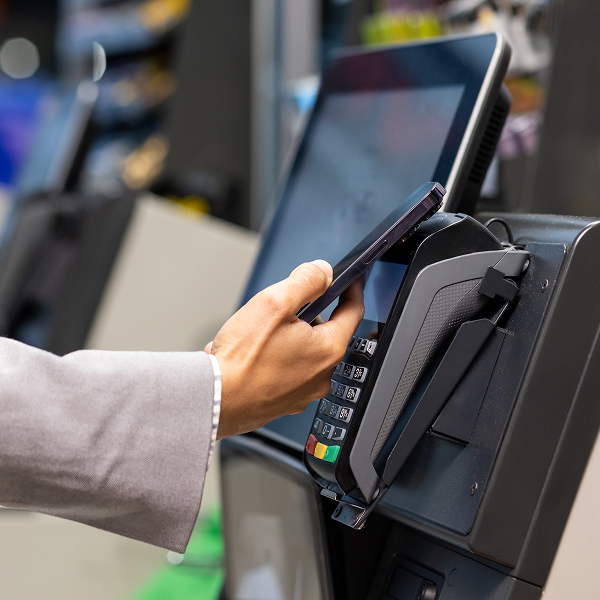
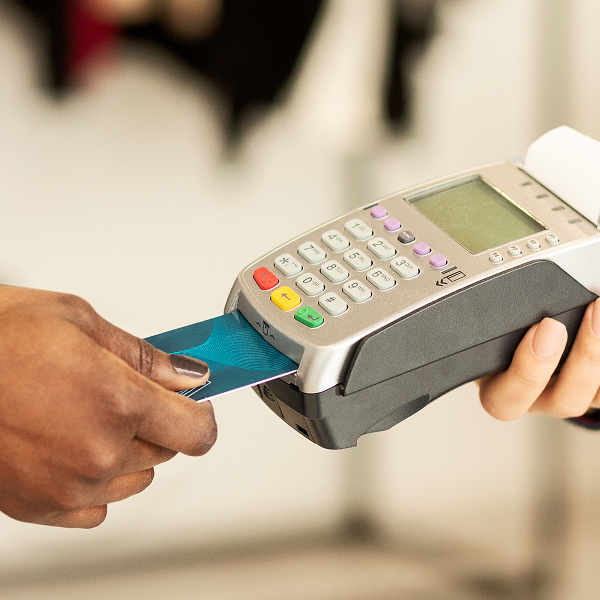
- Support for credit, debit and contactless payments.
- Cash handling and electronic funds transfer in one POS.
- Configurable tender types for specific industries (gift cards, vouchers, etc.).
2
Multi-Device Acceptance
- Payments from fixed terminals, tablets and mobile devices.
- Shared configuration across devices and locations.
- Offline-safe flows (queue and sync when online again) if supported.
3
Secure, Compliant Processing
- PCI-aligned processing flows (position for compliance support).
- Encryption and tokenization (no card data stored in the POS UI).
- Audit-ready transaction logs for finance and compliance teams.
Omnichannel Payments
1
In-Store & Online, One View
- Link POS with e-commerce platforms so sales and returns stay synchronized.
- Consistent pricing, promotions and tax handling in every channel.
2
Click-to-Pay, Pay-by-Link & Remote Payments
- Digital invoice links and remote payment flows tying back to the same customer account.
- Support for recurring or scheduled payments where applicable.
3
Channel-Aware Reporting
- Filter reports by store, channel, or campaign.
- View cross-channel customer journeys and lifetime value indicators.

Cashiering & Portals
1
Modern Cashier Experience
- Simple screens for scanning items, applying discounts and splitting tenders.
- Fast order creation and completion, minimizing queues.
2
Customer Self-Service Portals
- Online access for invoices, receipts and payment history linked to POS accounts.
- Options to pay outstanding balances and update basic details.
3
Staff Portals
- Staff login for time capture, schedules and performance snapshots (ties back to employee management).
- Secure access respecting role-based permissions.
Accounts Receivable & Payable
1
Customer Accounts & Receivables
- Customer credit limits and terms tied directly to POS.
- Balance tracking, aging views and dunning workflows.
- Link between AR status and customer profiles/loyalty.
2
Supplier Management & Payables
- Record supplier invoices tied to inventory receipts.
- Track due dates, early payment opportunities and discrepancies.
3
Financial Visibility Across AR & AP
- AR/AP dashboards and exports feeding into accounting/ERP.
- Filters for store, brand, supplier and customer segment.

ERP & General Ledger Integration
1
Accounting & ERP Connectors
- Prebuilt integrations with major accounting and ERP systems.
- Automated posting of sales, tax and tender totals to GL.
2
Flexible GL Mapping
- Map stores, products and tenders to the appropriate GL codes.
- Multi-entity, multi-currency support if applicable.
3
Finance-Grade Audit Trail
- Trace each POS transaction through to its financial entry.
- Export-ready data for auditors and controllers.
Reporting & Analytics
1
Real-Time Sales Dashboards
- See topline sales, margins and KPIs in real time.
- Drill into stores, channels, categories and SKUs.
2
Inventory & Demand Insights
- Identify fast- and slow-moving items.
- Forecast future demand using historical patterns.
3
Custom Reports & Exports
- Build custom views by product, customer segment, or staff member.
- Schedule and export reports for finance, operations and marketing.


Workflow & Automation
1
Automated Inventory Flows
- Auto-replenishment rules based on minimum stock levels and sales velocity.
- Alerts for low stock, overstocks and exceptions.
2
Order-to-Cash Automation
- Automated steps from order creation through payment, fulfillment and reconciliation.
- Trigger-based tasks for staff (e.g., verify high-value orders, approve returns).
3
Industry-Specific Workflows
- Configurable flows for retail, healthcare, government offices, gyms, auto repair and more.
- Ability to model your current SOPs in the POS instead of forcing new ones.
Customer Service Module
1
360° Customer Profiles
- Centralized profiles showing purchases, returns, preferences and open balances.
- Flags for VIP, high-risk or special-handling customers.
2
Loyalty & Targeted Campaigns
- Use captured data to design targeted promotions and email campaigns.
- Measure impact on repeat visits and basket size.
3
Service & Follow-Up
- Record service notes, tickets and follow-ups on each customer account.
- Simple workflows for refunds, exchanges and adjustments.

See Access2Pay in Action
Tell us a bit about your operations and we’ll show you how our POS features can support your stores, teams and finance leaders.